Often people have issues because they have accidentally input incorrect credit card information.
- Make sure you have input your credit card number correctly. Even one digit wrong will prevent your order from being processed.
- Make sure you are entering the expiry date correctly.
If you have tried multiple times in a row in quick succession to pay for your Soccer Camp registration, our system might be flagging your attempts as spam. Please try again in an hour or two.
If you still cannot make payment, try again in a different browser from your previous attempts. This might solve an issue if you are using an older browser that is not compatible with our system. (eg: Internet Explorer is no longer supported by Microsoft. Switch to Microsoft's "THE EDGE" Browser, or perhaps try Chrome or Firefox.)
Still having issues? Contact Us
Check your spam folder. If you are using Gmail, check your "Updates" folder as well as your spam folder.
You should receive your receipt instantly after your payment. It will arrive to the email address you provided during payment.
In rare instances it has taken up to 30 minutes for the email to arrive to your inbox.
Still don't have it? Contact us.
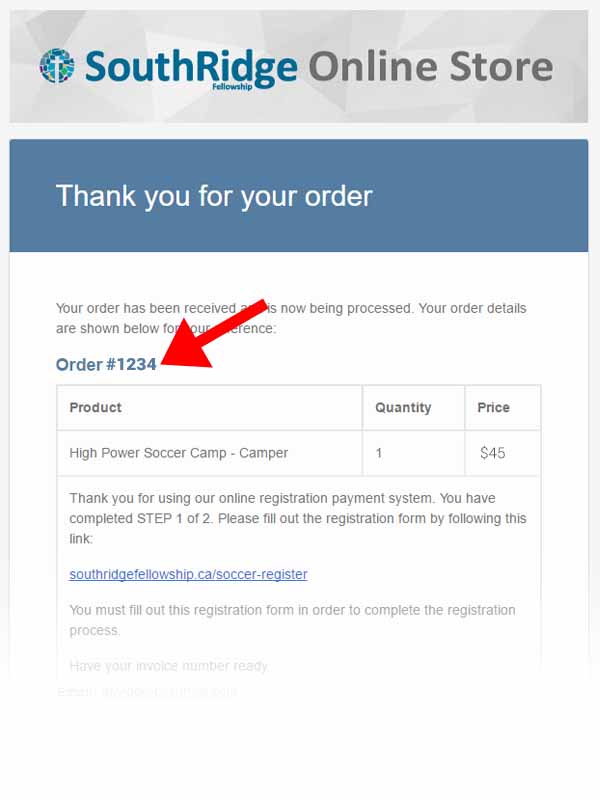
Your receipt number can be found in the emailed receipt you should have received after payment. Click here to see an example of where to find your receipt number.
Yes. After you have finished you will get a copy of your answers in your email's inbox (or that pesky spam folder). There will also be a link to edit your responses.